See & Hear Playback
Hear the sounds around a possible breathing pause.
Follow the marked waveform as you listen to the sound before a quiet interval and after sound returns. Save an available minute of audio as your own file when you want a copy to revisit or share.
Use your existing compatible phone. No extra device to buy or wear.
Your first complete breathing report is free to view—and stays free to revisit.No valid report yet? You can try again for free.
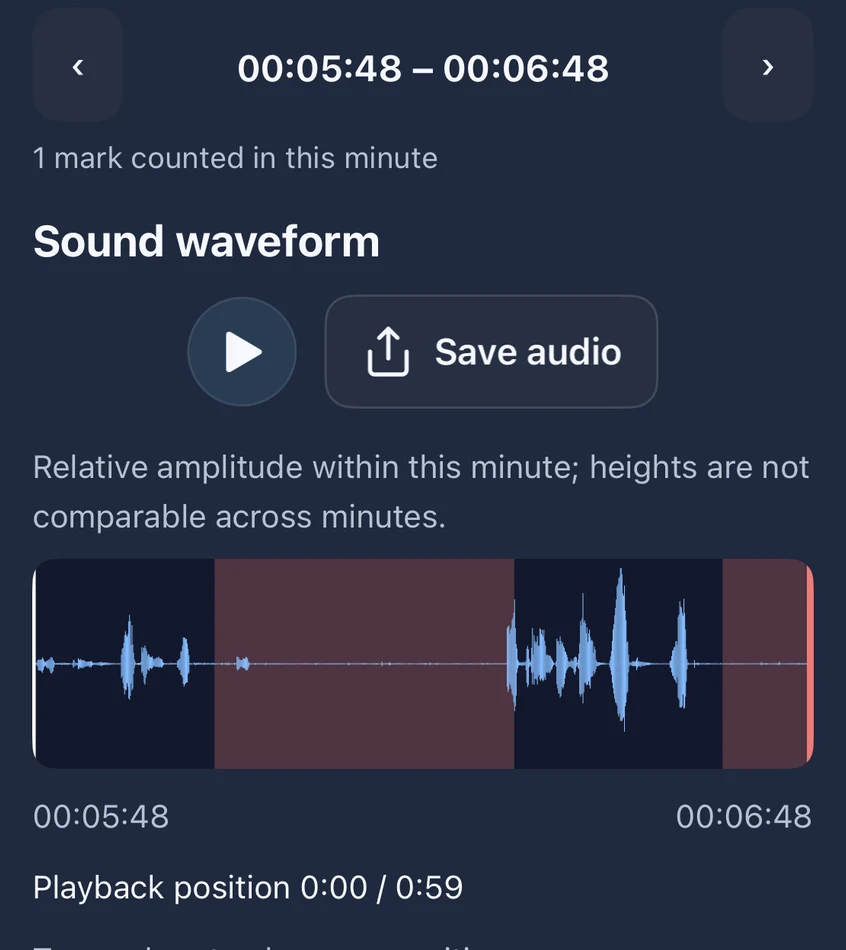
Look. Listen. Keep the part you want to return to.
Keep your place in the sound.
The moving pointer follows the waveform, so you can connect what you hear with the marked interval.
Hear the context, not isolated silence.
Listen across the sounds before and after a pause-like quiet interval. Other room sounds can add context to what the microphone captured.
Keep a copy you choose.
Save an available minute to your own files for later review or sharing. App cleanup does not manage those exported copies.
What you may hear
Open a candidate and play its surrounding recording. Listen across the quiet interval, rather than judging silence on its own.
- Snore-like sounds identified by the model
- Quiet or reduced-breathing-like intervals marked for review
- Other room sounds that may explain or add context to a candidate event
The model behind the marked sound.
Our published methods evaluate 1-second snore-segment classification and 200-second breathing-window classification. The model helps organize a night you can review with its waveform and available audio.
A pause-like mark includes a model-estimated quiet interval of at least 10 seconds; sound does not confirm that airflow stopped. The task results do not establish the accuracy of every app clip or event boundary.
See our published audio research →Your audio stays on your phone by default.
Analysis runs on your phone. Raw sleep audio is not uploaded to SomniSense by default; it leaves the device when you explicitly export or share it. Manage local media in the app and exported copies where you save them.
Keep reviewing, with access and storage made clear.
Your first complete breathing report is free to view—and stays free to revisit. No valid report yet? You can try again for free. Recording and analysis stay free. Pro unlocks later complete breathing reports; snoring stays free. Playback and saving of snoring audio are unlimited while the audio remains on your phone.
Version 1.2.0 keeps audio and waveforms for your latest 7 valid recordings on Free. Pro keeps the latest 30 by default, with 7, 30, 90 or no automatic cleanup available in settings. Report summaries are kept separately. Exported copies are managed by you; removed audio cannot be recovered.
Hear your own recording, not just a score.
Use your compatible phone tonight. Review your first complete breathing report before deciding whether continued access is useful to you.
Your first complete breathing report is free to view—and stays free to revisit.
No valid report yet? You can try again for free.
Start with my own night→Recording and analysis stay free. Pro unlocks later complete breathing reports; snoring stays free.
Read next
- → Lifestyle Lab™ — the data that comes after you trust the audio
- → Why your sleep audio never leaves your phone — the privacy architecture in plain language
- → Every-Event Timeline — when the events happen, not just how many
- → Privacy policy — the full details of how audio is handled