My Apple Watch showed elevated breathing disturbances. What could I check next?
Updated October 29, 2026: within each night, Apple Watch and both phones gave readings in a similar numerical range. On the second night, all three were higher than on the first. Here is what my phone records let me look into beyond those numbers.
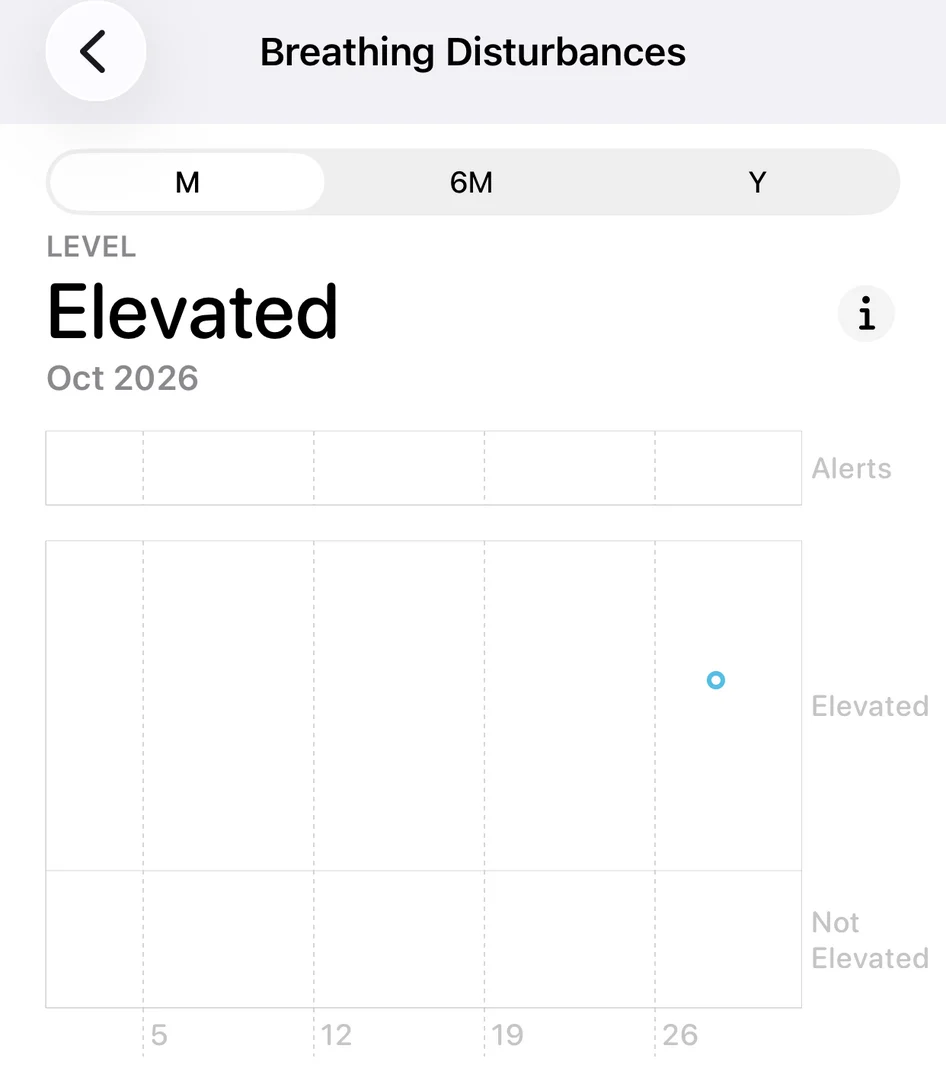
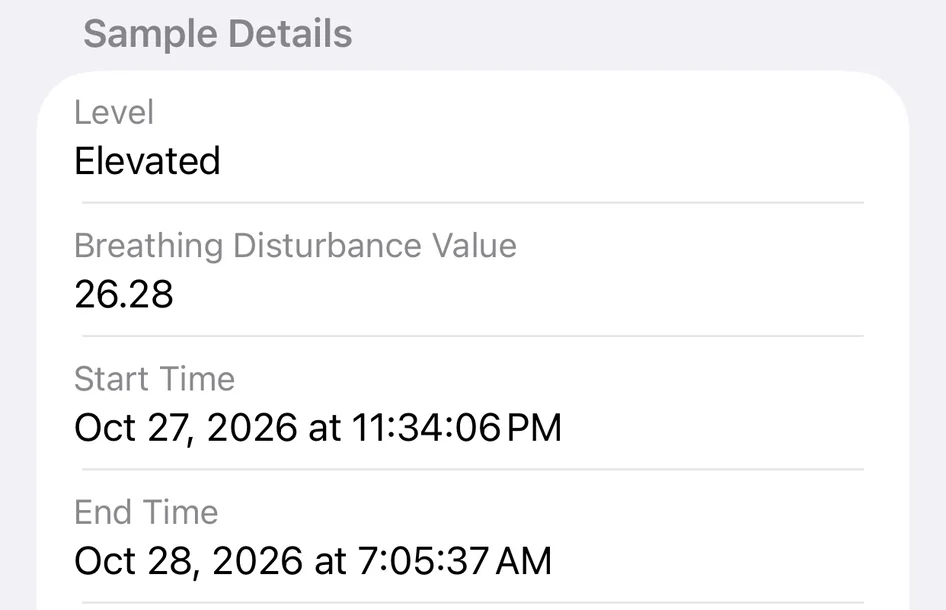
On the morning of October 28, I opened Apple Health and saw the previous night’s breathing disturbance value: 26.28, with the label Elevated.
I already knew I had sleep breathing problems. Long before I started SomniSense, years of snoring, waking tired and worrying my family had made me take my sleep seriously. As a husband, a father of two and an engineer, I wanted a practical way to see what happened while I was asleep.
That is why I built SomniSense: put a phone beside the bed, then come back to a time, a marked waveform and the available sound around it. Over more nights, those records become something I can follow.
A reading worth looking into
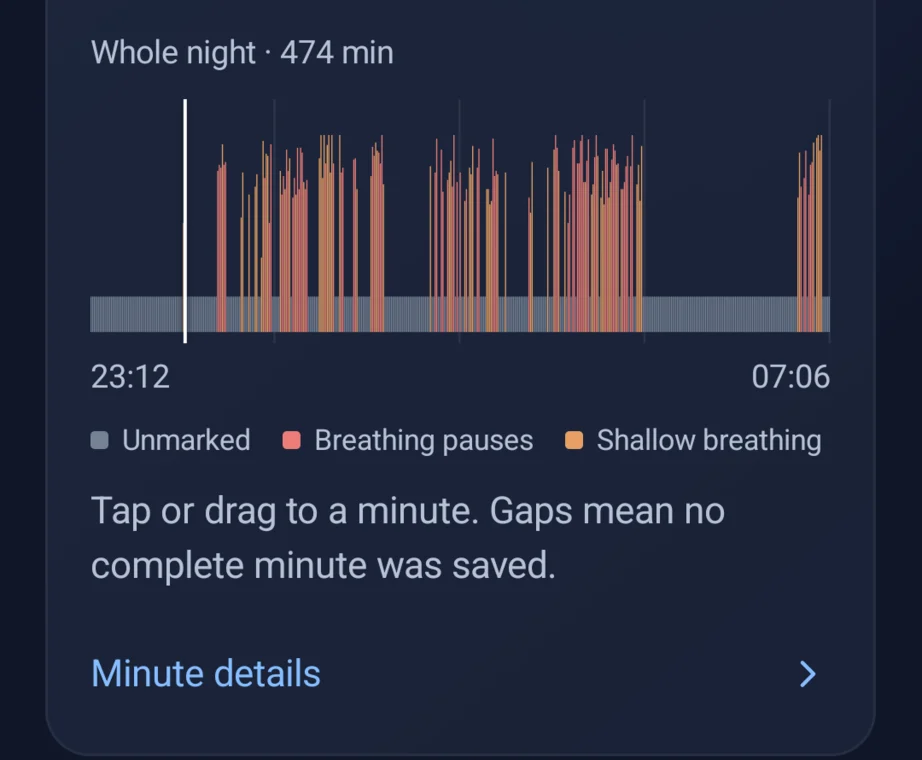
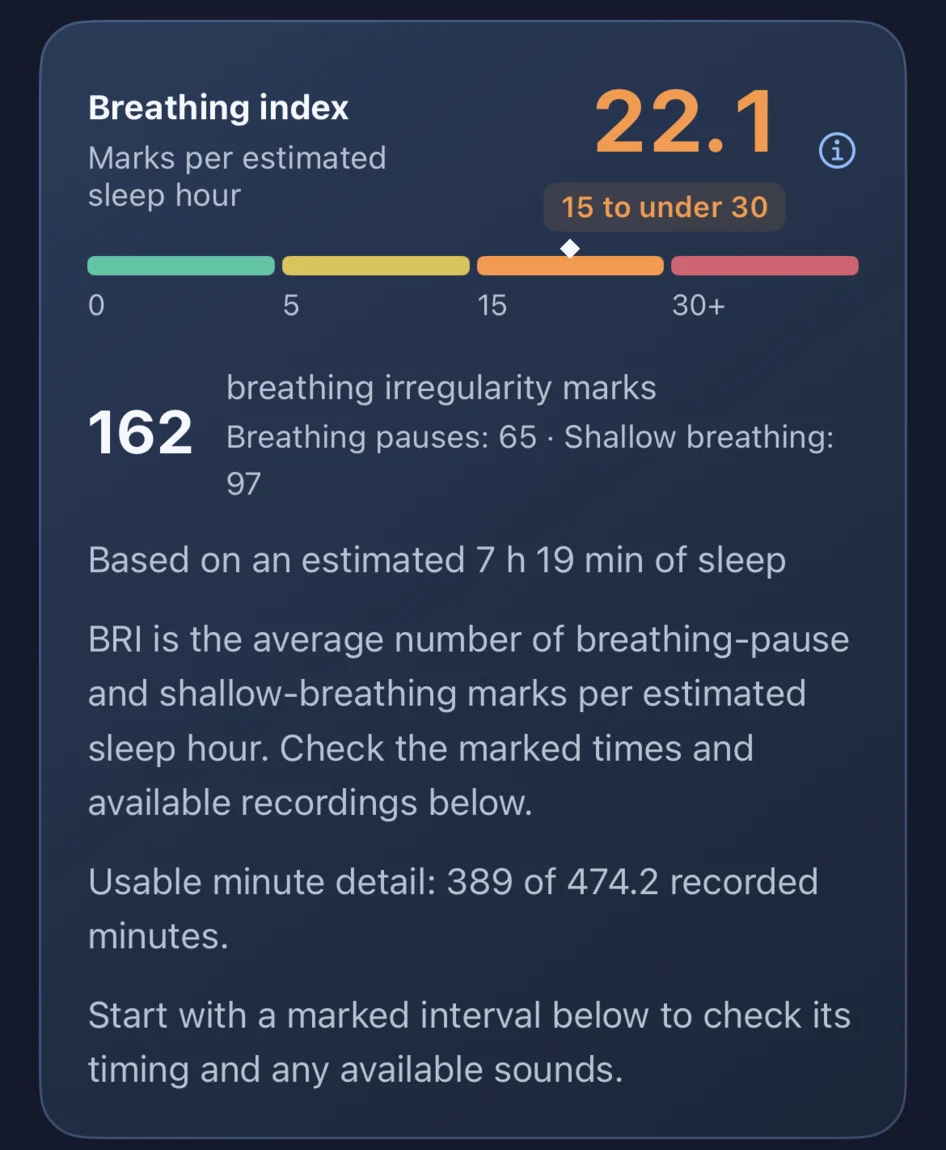
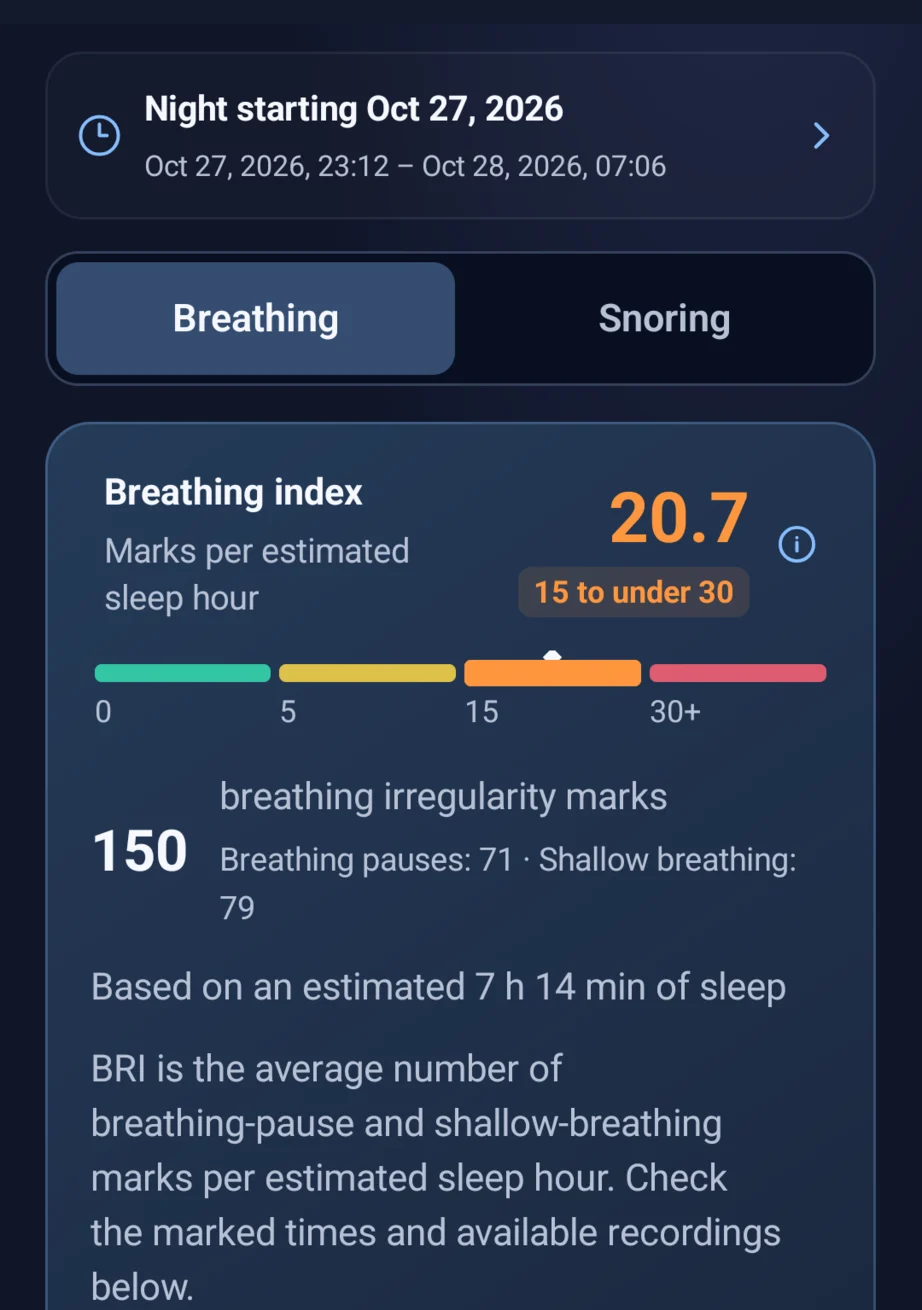
On October 27–28, I wore my Apple Watch and ran SomniSense on phones beside the bed. The two phone reports shown here gave a Breathing Irregularity Index (BRI) of 22.1 on iPhone 14 and 20.7 on Pixel 7.
For me, the useful part was having a night I could return to: a marked time, its waveform and the available sound around it. A phone beside my bed had turned the sounds of my own night into a record I could inspect.
If your watch has ever shown an elevated reading, you may have had questions like these: When did it happen? Was it spread across the night or clustered in a few periods? What did the breathing sound like?
The two Apple Health screens I saved show the level, value, recording period and a view across nights. They do not show individual moments within this night or a sound recording to open. Those were the details I wanted to explore next.
From a number to a moment
In SomniSense, the Pixel report put 150 breathing irregularity marks back into the night from 23:12 to 07:06. The iPhone report showed 162 marks. Under the summary, there was somewhere to keep looking.
For example, the Pixel’s minute view at 00:12:48 showed a waveform with a marked region. Its detail text described a model-marked shallow-breathing candidate from 00:12:42 to 00:13:11—an estimated 29 seconds—and explained that the interval crossed a minute boundary.
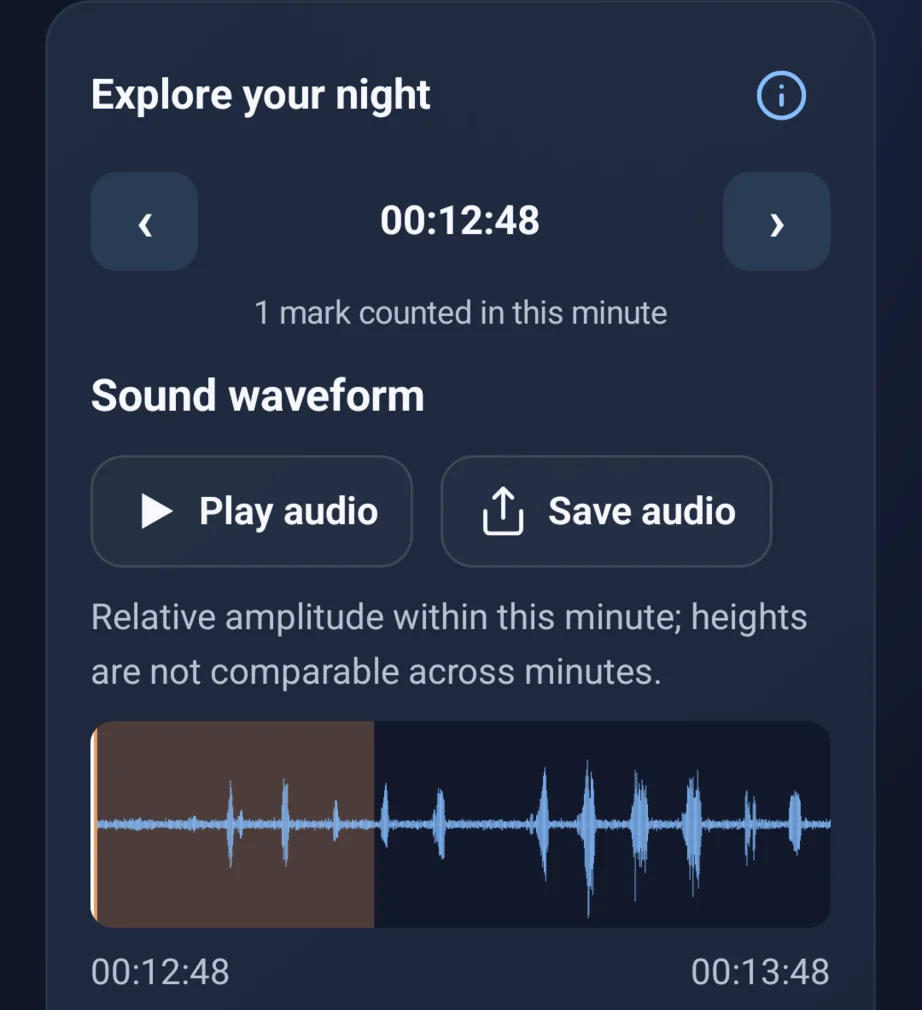
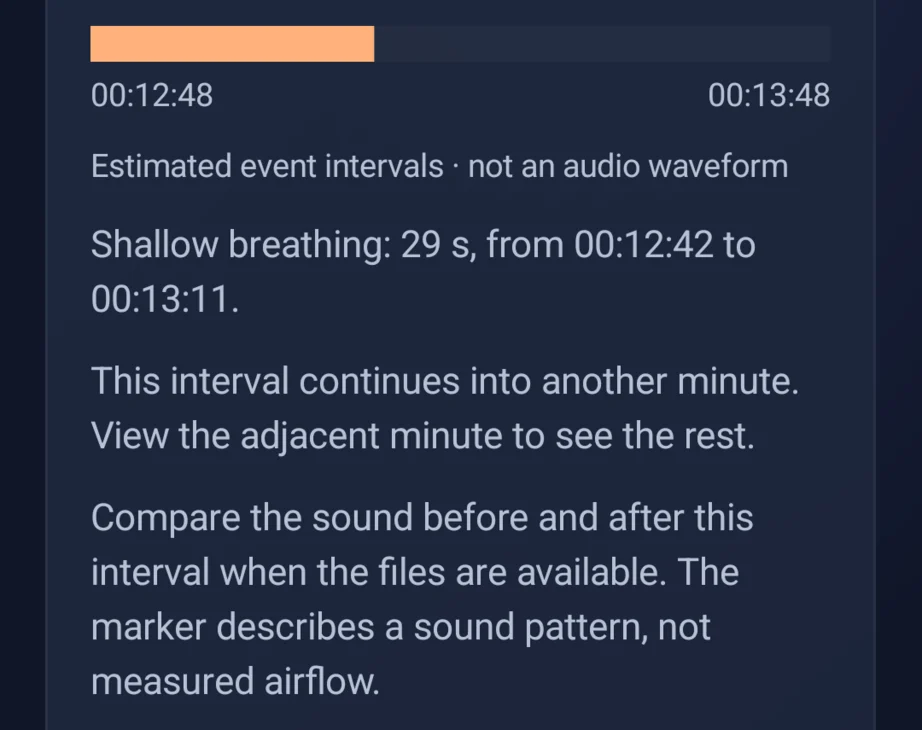
The playback control is there so a user can listen to the sound before and after a marked interval when the audio is available.
This is the kind of detail I wanted the app to make accessible. A concern about a whole night becomes a time and a record you can revisit. Another night lets you ask whether similar marks recur, without having to remember hours of sound or rely only on how you feel in the morning.
Three devices moved higher on the second night.
I recorded again on October 28–29. That evening, I had four bottles of beer and went to sleep about three hours later. Keeping that context beside the record gives me something concrete to look back on.
The next morning, Apple Health showed a breathing disturbance value of 32.07, again labelled Elevated. SomniSense reported BRI 30.3 on my iPhone 14 and 36.6 on my Pixel 7.
Within each night, Apple Watch and both phones gave readings in a similar numerical range. On the second night, all three were higher than on the first. Seeing that same direction across devices gave me a concrete change to follow—and a reason to return to the marked moments.
| Night | Apple Watch Breathing Disturbances | iPhone 14 BRI | Pixel 7 BRI |
|---|---|---|---|
| Oct 27–28 | 26.28 | 22.1 | 20.7 |
| Oct 28–29 | 32.07 | 30.3 | 36.6 |
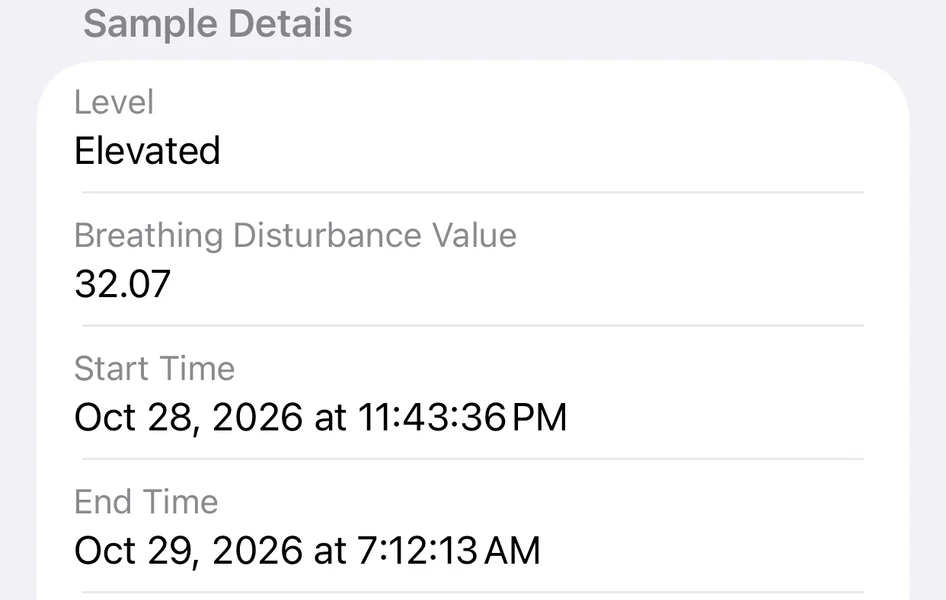
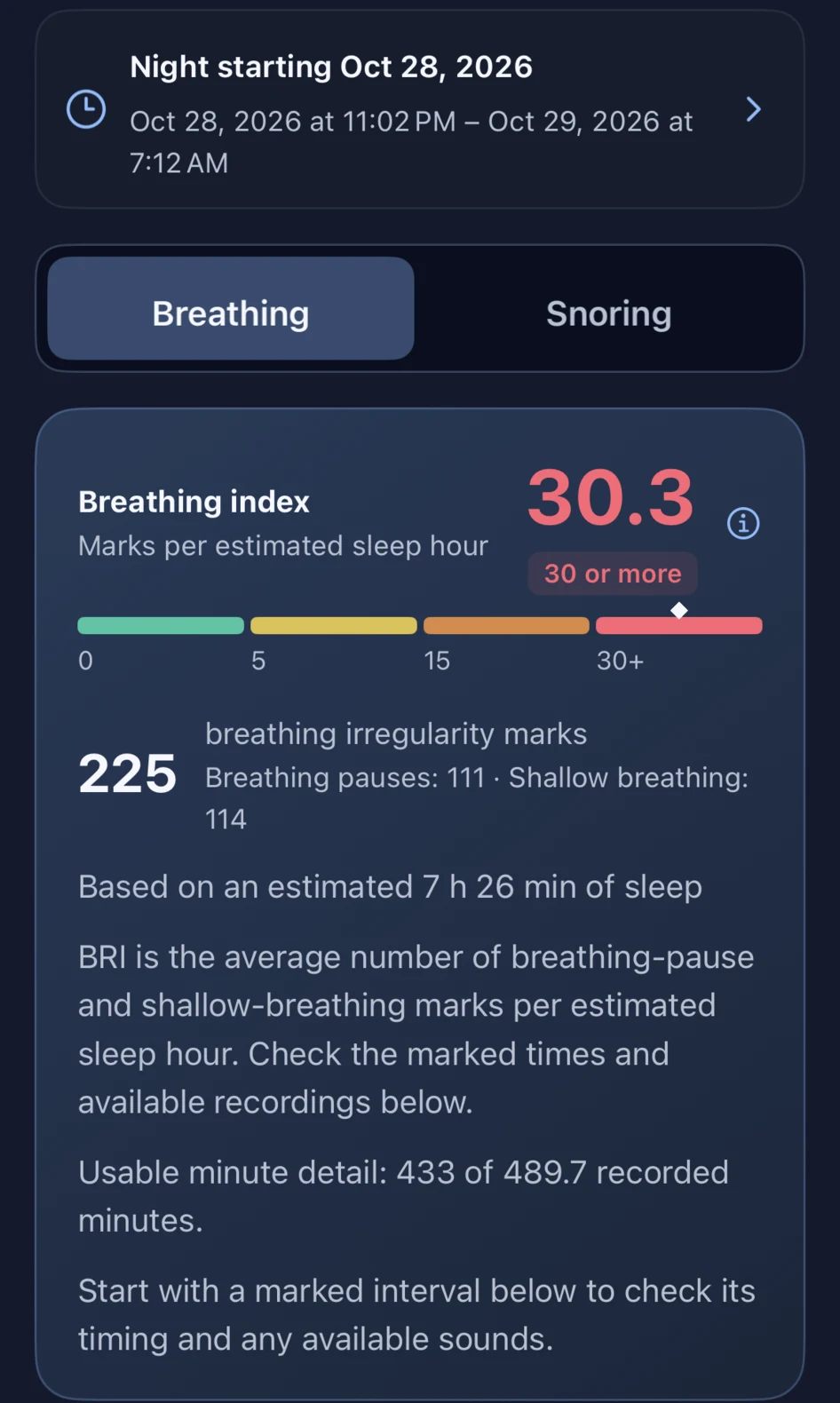
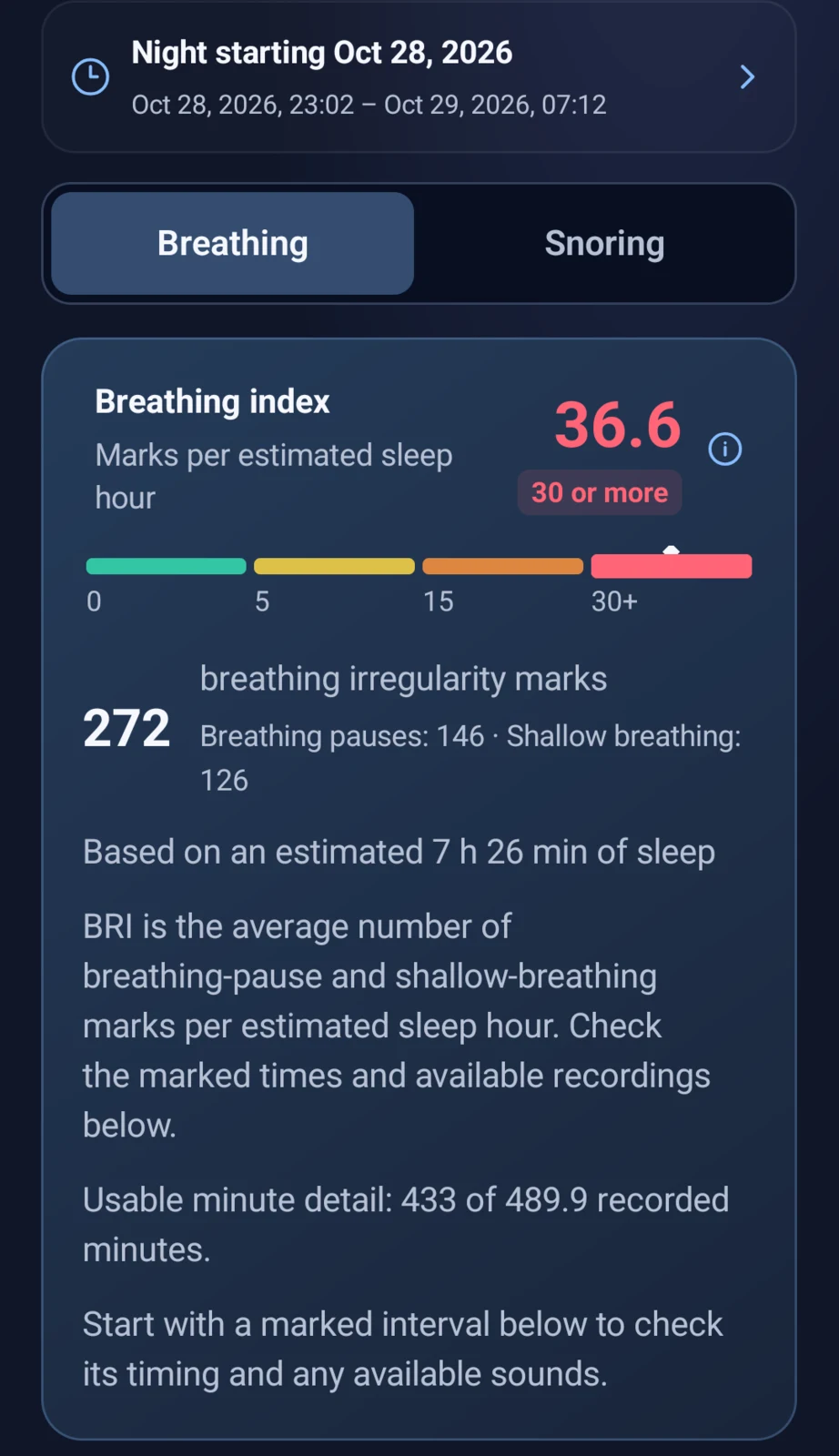
Both phone records ran from 23:02 to 07:12. The different mark counts are visible too: I can return to the timing and surrounding evidence rather than expecting every device to show exactly the same number.
That is why I want to keep recording. One night gives me a starting point; another lets me see what changed. With more ordinary nights and their context, I can follow whether a pattern repeats instead of relying on memory.
These are my own two nights, not an independent customer review or a clinical performance study. Apple’s Breathing Disturbances and SomniSense’s sound-based BRI have different definitions and recording periods; their values are not interchangeable. These records do not establish that beer caused the change. SomniSense marks possible breathing irregularities for review, not a diagnosis; clinical questions belong with a qualified health professional.
How can a phone do this?
The breathing-audio research behind SomniSense used audio samples paired with polysomnography (PSG) labels for training. Our research preprint describes 80 person-nights from 40 participants, including 2,953 paired 200-second audio windows.
Our work also adapts one-dimensional Coordinate Attention to combine broad and local audio features while preserving information about where patterns occur in time. That research foundation matters to me: the goal is to turn a night of sound into patterns worth reviewing, then make the surrounding evidence easy to find in the product.
You can inspect the methods and evaluations in our research and evidence pages. The study evaluates audio-classification tasks. Those published methods support our work on finding signs of pauses and shallow breathing. In the app, the marked moment, waveform and available surrounding sound give you a record to review for yourself.
A record of your own starts with your phone.
Use the compatible phone you already own. No extra monitor to buy. Nothing extra to wear. If you already use a watch, keep its view and add a sound record you can return to.
Look through your own night, return to marked moments and review available sounds. Your first complete breathing report is free to view and revisit; no valid report yet means you can try again free. Recording and analysis stay free; Pro unlocks later complete breathing reports.
Record tonight. Take a closer look tomorrow.
Put your phone by your bed and review your own night after sleep.
Your first complete breathing report is free to view—and stays free to revisit.
No valid report yet? You can try again for free.
Recording and analysis stay free. Pro unlocks later complete breathing reports; snoring stays free.